- Productivity
WhatsApp appointment management: risks and a switch plan
Taking bookings on WhatsApp is easy at first and messy as you grow. See 6 common risks, ready-to-send message templates and a 7-day plan to switch.
The short answer
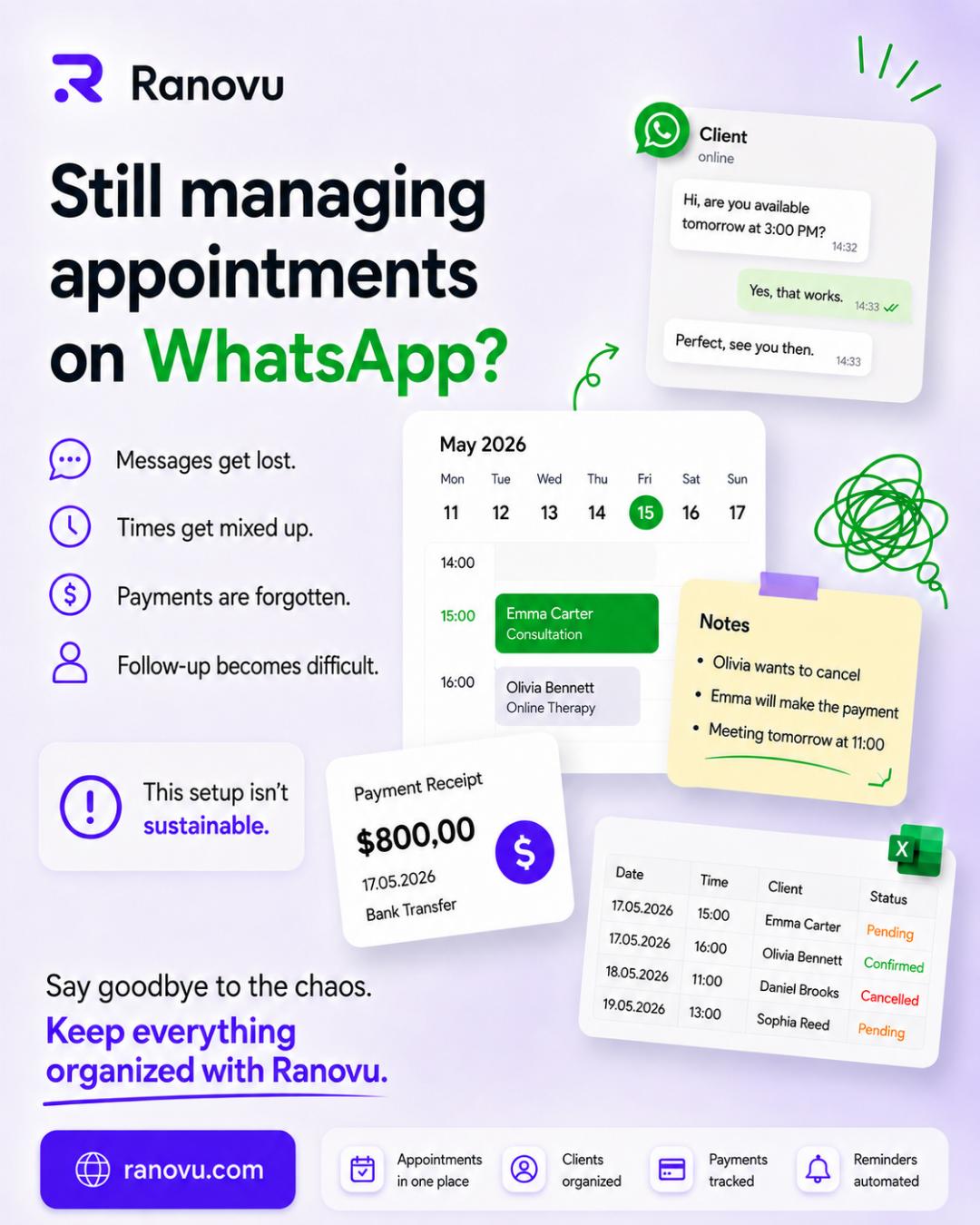
Managing appointments on WhatsApp works well with a handful of clients, but as you grow, messages get buried, times get mixed up, and reminders and cancellations need manual follow-up. The fix is not to drop WhatsApp but to split its role: keep the booking record in one calendar and one booking link, and use WhatsApp for notifications such as confirmations and reminders.
This guide is for therapists, dietitians, coaches, tutors, barbers and stylists who take bookings on WhatsApp.
Why does booking on WhatsApp work so well at first?
Many of your clients already use WhatsApp every day. They do not need to download anything or create an account, and you get a direct, personal line to them. With a small number of appointments, a time change takes one message and the conversation itself builds trust.
So booking on WhatsApp is not a mistake. The trouble is that two separate jobs slowly pile up in the same chat: conversation and record keeping. WhatsApp is great for conversation. It was not designed for record keeping.
Where does WhatsApp appointment management break down?
As your client list grows, these six signs tend to appear. Tick the ones you recognize.
| Sign | Why it happens | First fix |
|---|---|---|
| 1. Lost requests | Booking requests sink under newer messages | Point every request to one booking link |
| 2. Double bookings | Calendar and chat live in different places | Make one calendar your single source of truth |
| 3. Manual reminders | You type reminders one by one every evening | Hand reminders to a system |
| 4. Cancellations that never reach the calendar | The cancellation arrives as a message; the calendar stays the same | Give clients a way to cancel themselves |
| 5. Forgotten payments | Payment details stay inside the chat | Tie payment to one fixed rule |
| 6. A workday that never ends | Messages arrive in the evening and at weekends | Put your open slots where clients can see them |
1. Why do booking requests get lost?
A booking request slides down under dozens of newer messages. A message read but never answered looks like an ignored request, and the client may simply message someone else.
2. How do double bookings happen?
When your calendar and chats live in different places, giving the same slot to two people becomes easy. Fixing it takes far longer than booking it.
3. Why don't manual reminders scale?
Typing reminders one by one grows with every booking. The reminder itself does work: a 2013 Cochrane review found that mobile phone message reminders improved attendance at healthcare appointments compared with no reminder (seven studies, 5,841 participants; attendance rose from 67.8% to 78.6%). The same review found message reminders had a similar effect to phone call reminders (Cochrane).
4. Why don't cancellations reach the calendar?
"I can't make it tomorrow" arrives late at night and gets missed in the morning rush. The slot still looks booked, so you cannot offer it to anyone else.
5. Why is payment tracking harder in a chat?
"I've sent the transfer" sits in one chat, and which session it belongs to sits in another. Matching your bank statement with your messages becomes a job of its own.
6. Why does WhatsApp stretch your working day?
Booking requests arrive between sessions, in the evening and at weekends, and each one interrupts your work. In a lab experiment, people whose work was interrupted finished faster but reported higher stress, frustration and time pressure (Mark, Gudith and Klocke, CHI 2008).
Copyable rule: If you see two or more of these six signs every week, it is time to move the booking record out of WhatsApp.
Is the WhatsApp Business app enough to manage appointments?
The WhatsApp Business app adds real conveniences over personal WhatsApp. According to WhatsApp's own resource page, it includes (WhatsApp Business):
- Business profile: description, email, website link and address.
- Quick replies: pre-written answers to your most common questions.
- Greeting and away messages: automatic replies, for example outside working hours.
- Labels: to organize chats and contacts for follow-up.
- Catalog: to list your products and services.
These speed up answers, but they do not manage the booking itself: clients cannot pick one of your open slots, nothing is written to a calendar, and reminders do not go out on their own.
Copyable rule: WhatsApp Business speeds up conversations; recording bookings, sending reminders and reflecting cancellations in your calendar needs a booking calendar.
How can you organize bookings without giving up WhatsApp?
The sturdiest setup separates the jobs:
| Job | Where it should live |
|---|---|
| The booking record (date, time, service, client) | One calendar |
| Taking bookings | One booking link that shows your open slots |
| Confirmations and reminders | Automatic messages on WhatsApp and email |
| Questions, conversation, personal contact | Your own WhatsApp number |
Clients still message you on WhatsApp; when they ask for a time, you share your link instead of proposing slots. We cover how to set up a booking link on the Create a booking link page.
How do you move from WhatsApp to a booking system in 7 days?
This plan spreads the switch over a week without overwhelming existing clients.
- Day 1: Set your hours. Write down your weekly working blocks, breaks and the length of each service.
- Day 2: Write your services and rules. Set each service's length and price, your cancellation rule (for example "24 hours before") and when clients pay.
- Day 3: Build your booking page and test it. Ask a friend to book and check the messages that arrive.
- Day 4: Put the link where people look. Add it to your WhatsApp profile, quick replies, away message and Instagram bio.
- Day 5: Tell existing clients. Send a short message using the template below.
- Day 6: Answer every time request with the link. Some clients will still message you at first; that is normal.
- Day 7: Review. Count bookings from the link versus messages, and add answers to repeated questions to your service descriptions.
Copyable rule: In the first week, answer every time request with the same link; consistency teaches the new habit.
What message can you send your clients?
Adapt these templates to your own voice.
Announcement to existing clients:
Hi, I now take bookings through a single page. You can see my open times here and pick the one that suits you: [your booking link]. You will get an automatic reminder before your appointment; replies to that message don't reach me. You can still message me here with any questions.
Quick reply to a new client asking for a time:
Hi, thanks for getting in touch. You can see my available times and book here: [your booking link].
What happens when client details are scattered across WhatsApp?
When bookings run through WhatsApp, a client's name, phone number, booking history and sometimes health-related notes sit inside chats, often on your personal phone. If the phone is lost or replaced, that information becomes harder to reach and protect.
If you work with clients in the EU or UK, the GDPR sets out obligations for anyone handling personal data; the European Commission's data protection pages are a starting point.
A few practical steps:
- Keep booking details in one calendar, not in chats.
- Do not ask for health details on WhatsApp; if needed, ask only for what is necessary in your booking form.
- Use a screen lock on your phone.
What does Ranovu do here?
- One booking address: Roon builds and publishes your site through a short chat. Your booking page lives at
yourname.ranovu.com/randevu, so you can add the link to your WhatsApp profile and quick replies. - Clients pick their own time: Clients can book any of your open slots at any hour of the day. If automatic approval is off, the booking waits for your approval. More on the 24/7 online booking page.
- WhatsApp confirmations and reminders: When a booking is confirmed, your client automatically gets a WhatsApp and email confirmation. Automatic WhatsApp and email reminders go out before each appointment; you choose how many hours before (every plan; 50 / 500 / 1,500 / 5,000 WhatsApp messages a month). Message texts are fixed templates. Automatic WhatsApp messages are sent from Ranovu's WhatsApp Business number; if a client replies to them, the reply is not passed on to you. Tell clients separately, on your site and in your own messages, how to reach you (phone or your own WhatsApp). Setup is covered in the Notifications guide and on the WhatsApp appointment reminders page.
- Cancellations stay out of the chat: You set the cancellation deadline; before it, clients cancel from their own link. Per-service cancellation deadlines are on Premium and above. The client side is explained in Managing a booking.
- Your week on one screen: See all your appointments for the week on one screen. Client history and visit count appear on every booking. Two-way Google Calendar sync is on Premium and above (30-day trial on Free); see Google Calendar sync.
- Payment at the visit: Offer free appointments or take payment at the visit.
You can start on the free plan: free forever, 30 bookings a month, no card. Plan details are on the pricing page. See also the pages for psychologists, dietitians and barbers, and the posts End fragmented booking, Automated reminders and One system for everyone who works with appointments.
Frequently asked questions
- Is it a mistake to take appointments on WhatsApp?
- No. With a small client base, WhatsApp is fast and personal. The problem is that the booking record lives in the chat too. As you grow, times, cancellations and payments get buried between messages. Keeping WhatsApp for conversation and moving the booking record to a calendar is a sturdier setup.
- Is the WhatsApp Business app enough to manage appointments?
- WhatsApp Business offers quick replies, greeting and away messages, labels and a catalog. These speed up answers, but they do not let clients pick one of your open slots themselves, write the booking to a calendar or send reminders on their own. For that you need a booking calendar or booking software.
- How do I get existing clients to use a booking link?
- Share the link in a short, friendly message, answer every request for a time with the same link for the first few weeks, and add it to your WhatsApp profile, quick replies and away message. Once clients pick their own time, all you do is check the new booking.
- Can appointment reminders go out on WhatsApp automatically?
- Yes, booking software can send them for you. In Ranovu, automatic WhatsApp and email reminders go out before each appointment and you choose how many hours before. This is included on every plan; the monthly WhatsApp message allowance depends on the plan.
- How long does it take to move from WhatsApp to a booking system?
- Spreading the switch over a week is realistic: set your hours and services on day one, share the link with existing clients over the next days, and review what worked at the end of the week. The time depends on your client volume and how many services you offer.
Sources and further reading
- Cochrane, "Mobile phone messaging reminders for attendance at healthcare appointments" (Gurol-Urganci et al., 2013)cochrane.org
- Mark, G., Gudith, D., Klocke, U., "The Cost of Interrupted Work: More Speed and Stress", CHI 2008ics.uci.edu
- WhatsApp Business, "Why small businesses should use WhatsApp Business app"whatsappbusiness.com
- European Commission, "Data protection"commission.europa.eu
Get started with Ranovu
Create a free account and publish your booking site in minutes.